
Alpine People Search Resources
Alpine People Search starts with the Lone Peak Police Department because Alpine contracts for police services through that agency rather than running a separate local department. That makes the city search a little different from a typical municipal page. The first step is to use the Lone Peak records request path, then move into Utah County or the state court system only if the city record points that way. That keeps the search focused on the office that actually holds the file. It also helps when the record trail crosses from a city incident into a county custody check, a court docket, or a historical file.
Alpine Quick Facts
Alpine People Search Sources
The city starting point is Lone Peak Police Department. Lone Peak Public Safety serves the Alpine and Highland communities, and the official records page explains how people should submit requests. Research for this build places Alpine's service address at 5400 W Harvest Lane, Highland, UT 84003, with the phone number (801) 794-3970. That is the local contact path to use when an Alpine People Search begins with a police report, a recent incident, or a request for a city record that is handled through Lone Peak rather than a separate Alpine department.
| Office | Use |
|---|---|
| Lone Peak Public Record Request | Police records, fees, and request processing |
| Utah County Sheriff's Office Inmate Search | Current custody and booking lookup |
| Utah County GRAMA Request Portal | County records requests and routing |
| Fourth District Court - Utah County | County case files and hearings |
That city-county split matters because Alpine records often start with the Lone Peak police desk and then move into Utah County only when the incident becomes a custody, court, or county-record question. A name, a date, a place, or a report number is usually enough to get the city request moving. If the city can answer it, you stay local. If the file points elsewhere, the county layer is already lined up and ready.
The Lone Peak records path is also useful because it gives you the request rules in one place. That is better than sending a broad question to the wrong office. A focused request tells the office what record you need and gives you a better chance of getting the file without follow-up delay. For Alpine People Search, that usually means the city page first and the county page second.
Alpine People Search and Police Records
The Lone Peak Police records request page is the main city source when Alpine People Search starts with an incident, a crash, or another local police record. The official request page at Lone Peak Public Record Request explains that records requests go through the department's records officer and that processing can take time. That is the right place to start when you need a city record rather than a county file. It also gives you a clear request path before you move to Utah County or the court system.
The city page is especially useful when you only know part of the story. A name and a rough date are often enough to get the request moving. If you have the location of the event or the type of report, include that too. Those details make it easier for the records officer to find the correct file and tell you whether the next step stays at Lone Peak or moves into the county record stack.
The official request page at lonepeakpolice.com is the best local anchor when the clue is a police report or city request.
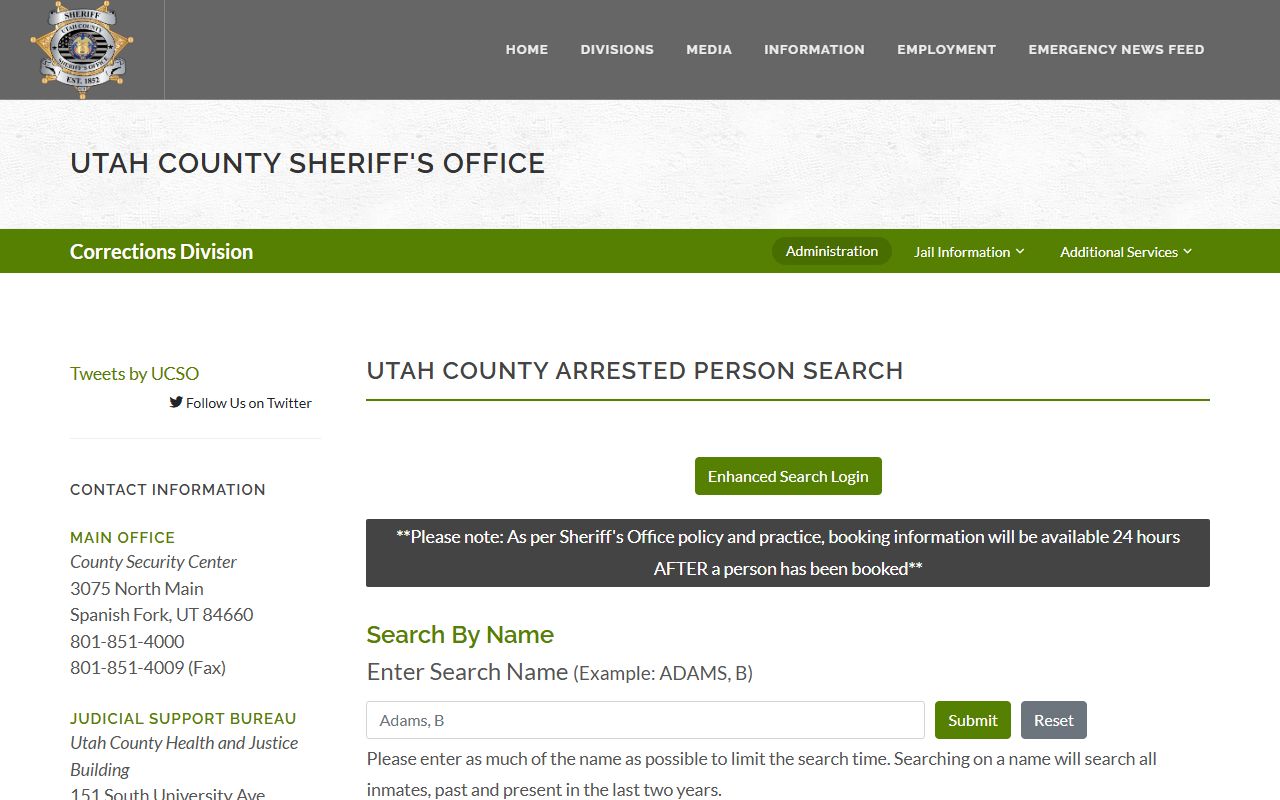
That image marks the county backup layer, which is useful when an Alpine police lead moves from the city record to a Utah County custody or court check.
In practical terms, the police records page gives you the front door and the county pages give you the next hallway. That is the safest way to keep the search organized and avoid sending the same request to multiple offices at once.
Alpine People Search and Utah County Backups
Utah County becomes the next layer when an Alpine People Search leaves the city page. The county sheriff can show custody status, the county records portal can handle GRAMA requests, and the Fourth District Court can show the case trail if the matter moved into the court system. The county page on this site keeps those routes together so you can stay organized while the record trail grows.
The quickest public custody check is the Utah County Sheriff's Office Inmate Search. If the person is currently booked, the roster can confirm that without a formal records request. If the roster is not enough, the county GRAMA portal at Utah County GRAMA Request Portal gives you the written request path for county-held records. That is the right next step when an Alpine record has moved from city police into a county file.
The county court at Fourth District Court - Utah County becomes the next stop when the search is about filings, hearings, or a public case file. The county page on this site keeps the sheriff, court, and county request steps in one place. That helps when the city request only gives you a partial answer and the trail has to continue into the county system.
Alpine sits close enough to the county network that one record can quickly lead to another. A city police report can point to a county custody record. A county custody record can point to a court filing. The county layer is the natural second step because it keeps the search local while still moving beyond the city desk.
Alpine People Search and State Records
State tools matter when the Alpine trail turns into a court question or a historical question. Utah Courts XChange is the public case search layer that helps you confirm whether a case exists before you ask for copies. The Utah Courts Directory helps you verify the right courthouse and contact details if the county file needs a follow-up. Those tools are useful because they keep the search moving without making you guess which court owns the case.
Utah's records law at Utah Government Records Access and Management Act explains why a city or county office may release part of a file, delay part of it, or ask for a more focused request. That is normal in a public-records search. It also explains why an Alpine People Search works better when the request is tied to one record type instead of a broad story.
For older or special records, the Utah State Archives and Records Service can help when the live office no longer holds the file. If the search turns into a marriage or verification issue rather than a police file, the Utah Office of Vital Records and Statistics is the right state-level fallback. Those state tools do not replace the city or county offices, but they finish the trail when the local response is only part of the answer.
Alpine People Search Tips
Keep the request narrow. A name, a date, a location, and a record type are usually enough to get the right office moving. That is especially important in Alpine because the city and county layers are both active parts of the record trail. The more precise your request, the less time the office spends trying to figure out what you meant.
Think in layers. City first. County second. State third. That order keeps Alpine People Search clean and makes it easier to see when one office has only part of the answer. If a response is incomplete or redacted, use it as the next clue. In most cases, it points to the next record holder rather than ending the search.
Browse Alpine People Search
Use the county and city pages when you want a wider Utah County search path. Alpine is the city starting point, and the county page fills in the sheriff, court, and request steps when the trail leaves the Lone Peak records page.